
Beyond the Datasheet: Practical Thermal Management for Industrial M.2 NVMe SSDs
The Engineering Problem: Unexpected Throttling in a Sealed Controller
You've selected an industrial M.2 NVMe SSD rated for extended temperature, yet during system validation the drive throttles after 20 minutes of sustained writes. The enclosure internal temperature is only 65°C—well within the rated ambient range—but the controller reports a thermal shutdown. This article provides practical strategies for heatsink selection, thermal interface material choice, and airflow design to prevent throttling and ensure reliable operation in harsh environments.
This scenario is common when thermal management is treated as an afterthought. The datasheet's temperature range typically refers to the ambient air around the drive, not the case temperature of the controller or NAND chips. Without proper heat sinking, a drive consuming 8.8 W (as in a high-capacity DRAM-cache model) can quickly exceed its internal junction temperature limit, triggering throttling or even data integrity issues. For industrial controllers running continuous logging or image processing, unexpected throttling means dropped frames, corrupt logs, or missed production cycles.
Why Standard Parts Fail
Consumer-grade M.2 SSDs often lack robust thermal management features. They may throttle aggressively at lower temperatures or rely on brief idle periods to cool down—typical in PC workloads. Industrial applications, however, demand sustained throughput often at elevated ambient temperatures.
Industrial-grade drives include features like intelligent thermal throttling that dynamically reduces speed to protect the device, but this is a fail-safe, not a design crutch. A system that consistently hits the thermal ceiling will throttle repeatedly, reducing average performance below the application's minimum requirement.
Moreover, the compact M.2 2280 form factor (80 mm × 22 mm) concentrates heat in a small area. The drive's PCB has limited copper planes for spreading heat, and the narrow clearance in many embedded enclosures restricts natural convection. Standard parts from the consumer channel often lack the thermal characterization needed for predictable performance in hot environments, leaving the integrator to guess the margin.
Thermal Basics: From Watts to Degrees
Effective thermal management starts with understanding the thermal path from the NAND die to the surrounding air. The key metric is junction-to-ambient thermal resistance (θJA). For reference, the Loongtion NVMe BGA SSD (a related BGA291 package) measures θJA = 26.84 °C/W per JESD51 standards. While this value is for a BGA package and not directly applicable to M.2 modules, the same principles apply. M.2 θJA depends heavily on airflow, heatsinking, and the specific controller and NAND packages.
Power consumption varies by capacity and workload. For example, a high-capacity DRAM-cache M.2 2280 drive may list maximum sequential write power up to 8.8 W at 8 TB capacity. In a typical industrial controller with 0.5 m/s airflow, even a 4 TB drive consuming 5.5 W can experience a significant temperature rise above ambient if not properly heatsunk. At 85°C ambient, inadequate cooling can push junction temperatures well beyond the 85°C operating limit, triggering throttling.
Two other useful thermal metrics are ψJT (junction-to-top) and θJC (junction-to-case). For the BGA reference design, ψJT is only 0.25 °C/W, meaning the top-case temperature is very close to the junction. This makes top-side heatsinking extremely effective. For M.2 drives, the controller and NAND packages are often on the same side, allowing a single thermal pad to a heatsink or enclosure wall.
Note: Thermal resistance and power figures cited above are from the Loongtion NVMe BGA SSD whitepaper and are provided for illustrative purposes. Actual M.2 SSD thermal behavior should be verified with the drive's datasheet and in-system testing.
Practical Selection: Heatsink, Pad, and Airflow
Heatsink Selection
The best heatsink for an M.2 drive depends on available space and airflow. In sealed enclosures, attach the drive to a metal chassis wall using a thermal pad. For open-frame designs, a finned aluminum heatsink with thermal tape can provide substantial temperature reduction. Avoid copper sinks unless weight and cost allow; aluminum's lower density is often adequate.
Thermal Interface Material (TIM)
Choose a thermal pad with 3–6 W/mK conductivity and appropriate thickness (0.5–1.5 mm) to fill gaps without excessive compression. Silicone-based pads are common, but ceramic-filled pads offer better stability at high temperatures. For direct contact with a metal chassis, use a thermally conductive adhesive tape rated for continuous operation at the drive's maximum temperature.
Airflow Design
Even minimal forced airflow dramatically improves heat dissipation. A fan delivering 0.5 m/s across the M.2 slot can reduce effective thermal resistance significantly compared to still air. In fanless designs, orient the drive vertically to encourage natural convection. Avoid placing the drive directly above heat-generating components like CPU voltage regulators.
| Design Option | Thermal Improvement | Complexity | Typical Application |
|---|---|---|---|
| No heatsink, still air | Baseline (throttling likely under sustained load) | None | Low-power, intermittent use |
| Thermal pad to chassis | Moderate drop (depends on chassis thermal capacity) | Low | Sealed controller boxes |
| Finned aluminum heatsink + moderate airflow | Significant drop (up to 50% reduction in θJA vs. still air, general guidance) | Medium | Rack-mounted industrial PCs |
| Active cooling duct over M.2 | Largest drop (best for high-power drives) | High | High-write-rate logging systems |
Note: Thermal improvement magnitudes are general engineering estimates and not specific Loongtion test results. Always validate with your specific drive and enclosure.
Performance Derating: When to Downsize
If your application requires sustained writes near the drive's power maximum, consider derating the capacity. A 4 TB drive may have 5.5 W max write power, while a 1 TB version uses only 2.4 W—a 56% reduction. In many cases, multiple lower-capacity drives in a RAID or JBOD can spread the thermal load while maintaining total storage.
Also, note that DRAM-less M.2 models generally consume less power than DRAM-cache equivalents. If random write performance isn't critical, the DRAM-less architecture can significantly ease thermal constraints.
Application Scenario: Sustained Write in a Sealed Industrial PC
Consider an industrial PC used for continuous data acquisition in a factory. The PC has no active cooling; it relies on a sealed aluminum enclosure. The designer chooses a 2 TB industrial M.2 NVMe SSD for high storage capacity. During qualification, the drive throttles after 15 minutes of sequential writes at 85°C ambient.
Diagnosis: The drive's case temperature reaches 82°C, with junction temperature likely higher. The lack of airflow and direct contact between the drive and the enclosure wall prevents effective heat transfer. Solution: Add a 1 mm thermal pad (3 W/mK) between the drive's controller side and the enclosure baseplate. Also, mount the drive vertically to improve natural convection over the PCB. After these changes, the case temperature stabilizes at 72°C under the same workload, and throttling is eliminated.
This case highlights that even simple thermal interface improvements can make the difference between a functional system and one that fails under load.
Validation and Monitoring
Mounting Orientation: Mount the M.2 drive with the component side facing the heatsink or cooling path. Avoid stacking cables or other boards directly on top. In systems with multiple M.2 slots, leave at least 10 mm clearance above each drive. Monitoring with SMART: Enable S.M.A.R.T. monitoring to track temperature excursions. Most industrial drives report current temperature via attribute 194. Set alert thresholds at 10 °C below the throttling trigger (typically 80 °C for industrial grade). Log these values during qualification testing to validate your thermal design. Validation Procedure:
- Identify the worst-case workload (e.g., continuous 256 KB sequential writes).
- Run the workload at the maximum rated ambient temperature (e.g., 85°C).
- Measure the drive case temperature with a thermocouple attached to the controller.
- If the case exceeds 80°C, the thermal mitigation is inadequate. Adjust heatsinking, TIM, or airflow.
- Perform a long-duration test (minimum 2 hours) to confirm steady-state temperatures.
Decision Checklist for Engineers
Use this checklist when designing an industrial M.2 NVMe SSD into a thermally constrained system:
- Determine worst-case power consumption for your capacity and workload (consult datasheet).
- Measure available clearance above the M.2 slot for heatsink or gap pad.
- Select thermal pad with 3–6 W/mK conductivity and appropriate thickness.
- If enclosure is sealed, plan to attach drive to chassis wall via thermal pad.
- If airflow is possible, target at least 0.5 m/s over the drive.
- Consider derating capacity or using DRAM-less model if power is critical.
- Validate with worst-case workload at max ambient temperature for >2 hours.
- Monitor SMART temperature attribute 194 and set alerts at 10°C below throttle point.
Conclusion
Thermal management for industrial M.2 NVMe SSDs is not a checkbox exercise. By understanding the power consumption of your chosen capacity, applying appropriate heatsinking, and validating with worst-case workloads, you can ensure consistent performance in harsh environments. General thermal metrics (like θJA and power consumption trends) provide a starting point, but in-system validation is essential. For application-specific guidance, contact our engineering team—we help tailor the thermal solution to your enclosure constraints.
For related products and specifications, see the product line.
By Loongtion Technical Team
Related products
Shortlist lines referenced in this guide — open the product page for PN, grades, and datasheet request.

M.2 2242 NVMe SSD (DRAM-less)
- Dimensions
- Capacities from 512GB to 1TB
- Compatible with Industrial
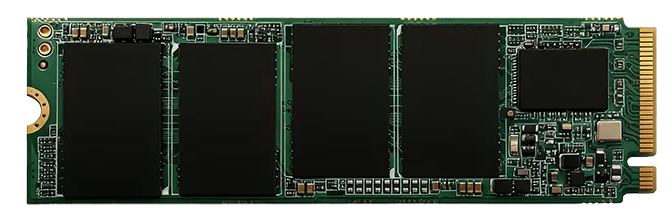
M.2 2280 NVMe SSD (DRAM Cache) · Wide-temp
- Independent DRAM cache
- PCIe 3.0×4 lane
- Compatible with Industrial
M.2 2280 NVMe SSD (DRAM-less) · Wide-temp
- PCIe 3.0×4 Lanes
- Supports TRIM/NCQ/S.M.A.R.T
- Compatible with Industrial
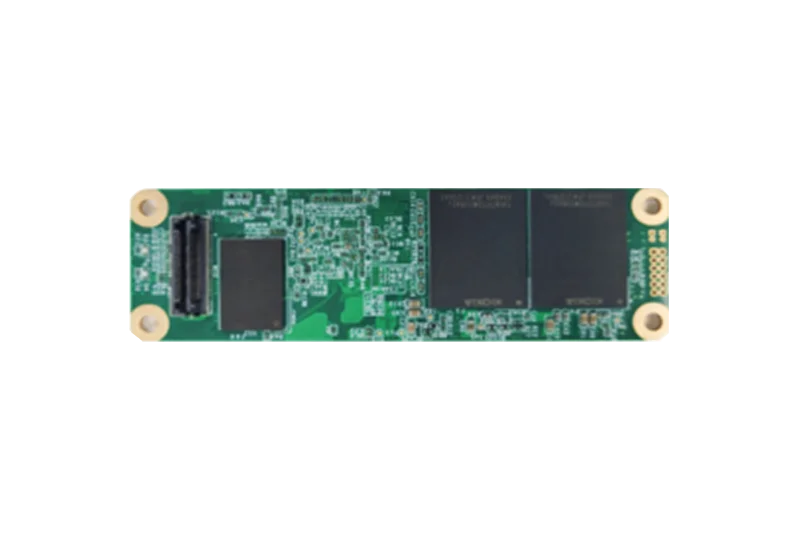
Rugged NVMe SSD
- Adopts Samtec high-speed
- PCIe Gen3×4 lanes
- Adopts Kioxia Industrial TLC
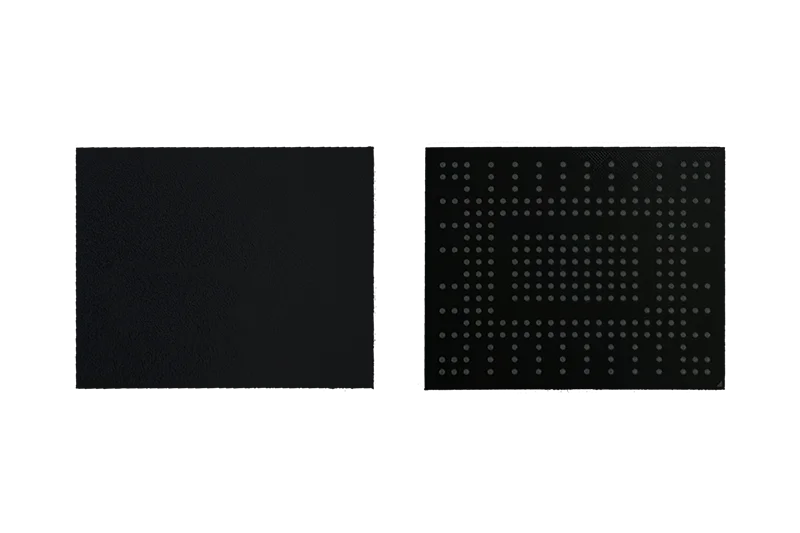
NVMe BGA SSD · Wide-temp
- FBGA291 Package
- PCIe Gen3×4 Interface
- Environmental testing
Related resources
Continue with related selection guides and notes for the same industrial storage topic.
Related cross-references
Pin-to-pin and functional alternatives referenced from this guide — for BOM review, dual-sourcing, or EOL coverage.